

Windows IIS
The Windows IIS Hook connects to the IIS server using the WinRM protocol.
Follow the following steps to enable the WinRM service and configure the Windows Firewall, so only CertGuardian can connect to the Windows IIS server.
Enable the WinRM service
Run the following the command in the IIS server:
winrm quickconfigIf it ask you for confirmation (Y/N), type Y and press enter. This will start the service and create the basic firewall exception.
Generate the a self signed certificate for the WinRM service.
If you want to access the IIS server with an IP, generate it with:
New-SelfSignedCertificate `
    -Subject "CN=your-server-ip.com" `
    -CertStoreLocation "Cert:\LocalMachine\My" `
    -NotAfter (Get-Date).AddYears(5)
If you want to access the IIS server with a name, generate it with:
New-SelfSignedCertificate `
    -DnsName "your-server-domain.com" `
    -CertStoreLocation "Cert:\LocalMachine\My" `
    -NotAfter (Get-Date).AddYears(5)
After generating the certificate write down the certificate thumbprint. You can also list the certificates with:
Get-ChildItem Cert:\LocalMachine\My |
    Where-Object {$_.HasPrivateKey} |
    Select Subject, Thumbprint, NotAfter |
    Sort-Object NotAfter
Start the WinRM service with:
winrm create winrm/config/Listener?Address=*+Transport=HTTPS "{Hostname=`"your-ip-or-domain.com`";CertificateThumbprint=`"your-certificate-thumbprint`"}"This will start the service in the port 5986.
Important: That port must be accessible to the CertGuardian server over the Internet
Configure the Windows Firewall
To restrict access and only allow connection from the CertGuardian server, follow the following steps: Open the Windows Firewall pressing Windows + R and type wf.msc and press Enter: 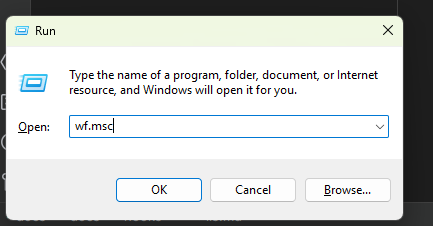
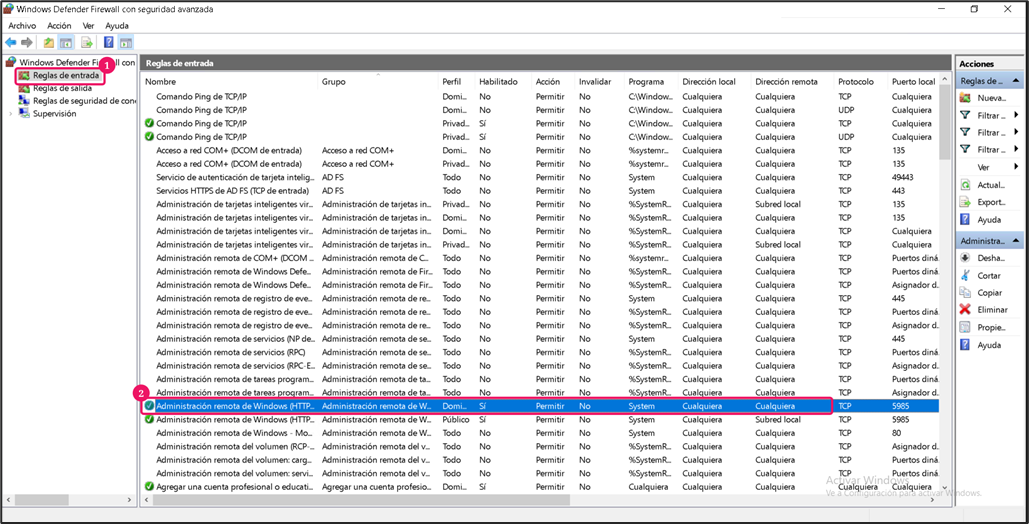
Click "Inbound rules" (1)
Find and edit the rule "Windows Remote Management (HTTP-In)" (2)
Go to "Advanced options" (1)
In the "Profiles" section check
Domain,PrivateandPublic(2),In the
Edge traversalsection selectBlock edge traversal(3)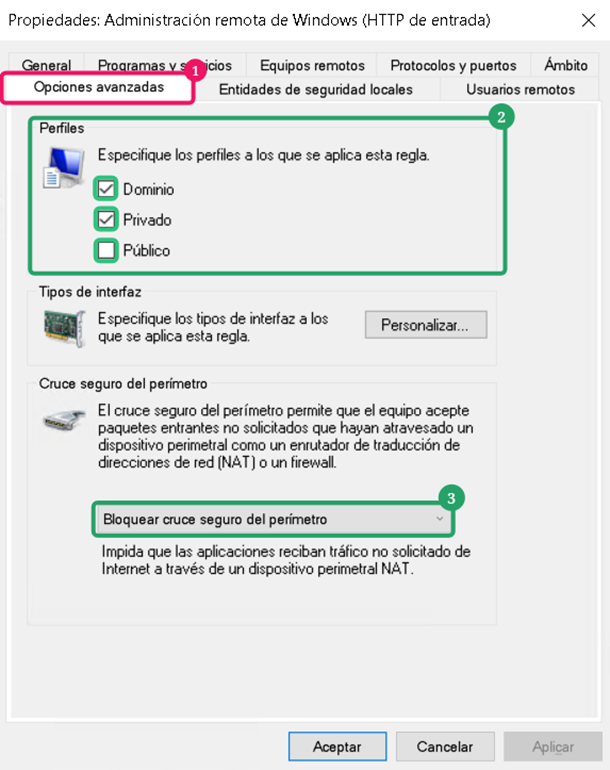
Go to the "Scope" tab (1).
In the "Remote IP address" select the option "These IP addresses" (2).
Click in "Add..." (3) and type the IP address of CertGuardian.
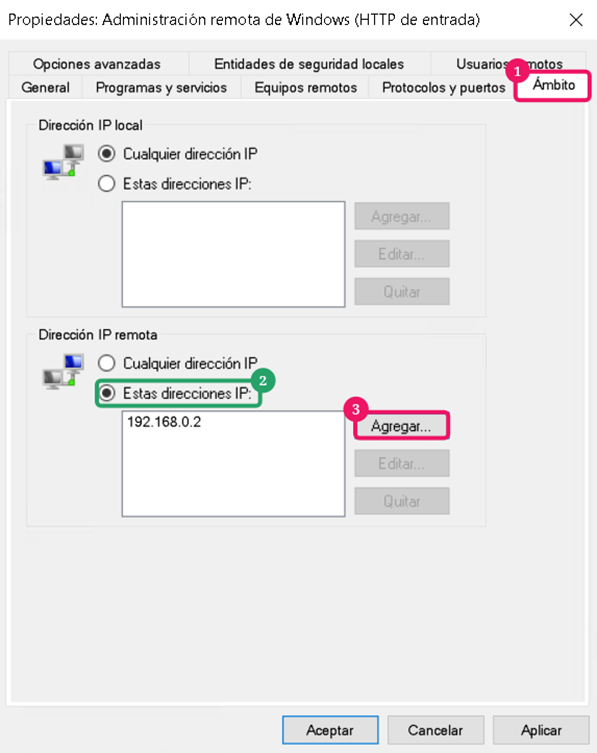
Save changes: Press Apply to apply the new rules.