

Certificate Authorities
CertGuardian connects to various Certificate Authorities to automate certificate requests and renewals throughout their lifecycle. This module explains how to link CA accounts and products (such as Let's Encrypt and other authorities) to automatically issue DV, OV, or EV certificates.
CertGuardian
CAs (Certificate Authorities) in CertGuardian have configured the credentials to connect to the CA via API. Once you create a CA, you need to create CA Product and link it to your CA.
Create a new CA
To create a new CA go to: Certificate management -> CAs -> New 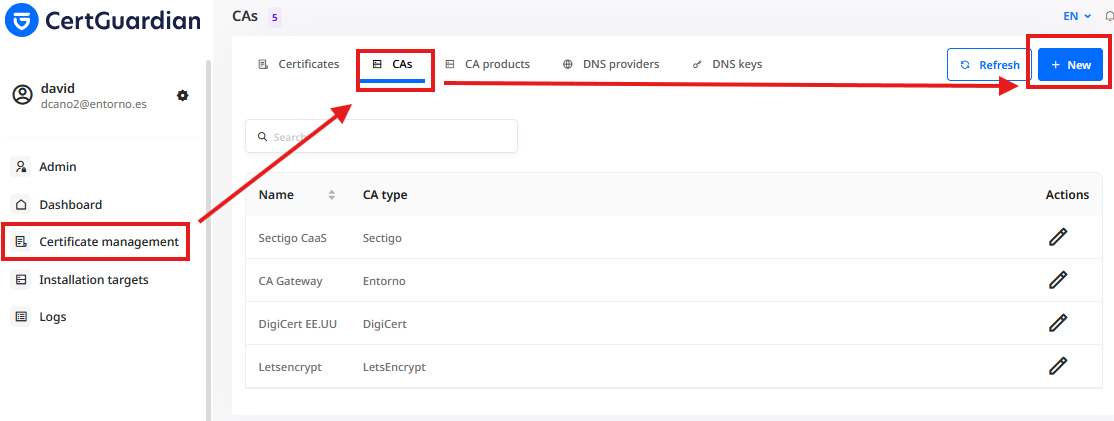
Choose the type of CA and fill the form. 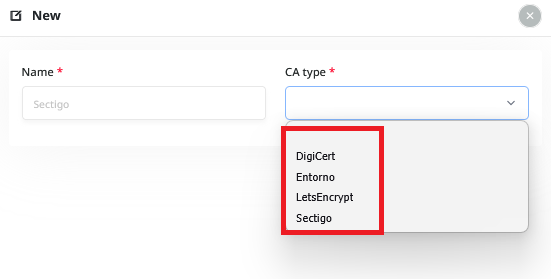
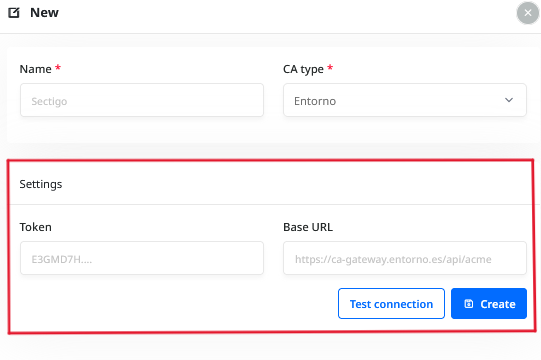
The "Settings" form will change depending on the type of CA. For the different types of CA you can check how to get the values here:
Add products to your CA
Go to: Certificate management -> CA products -> New 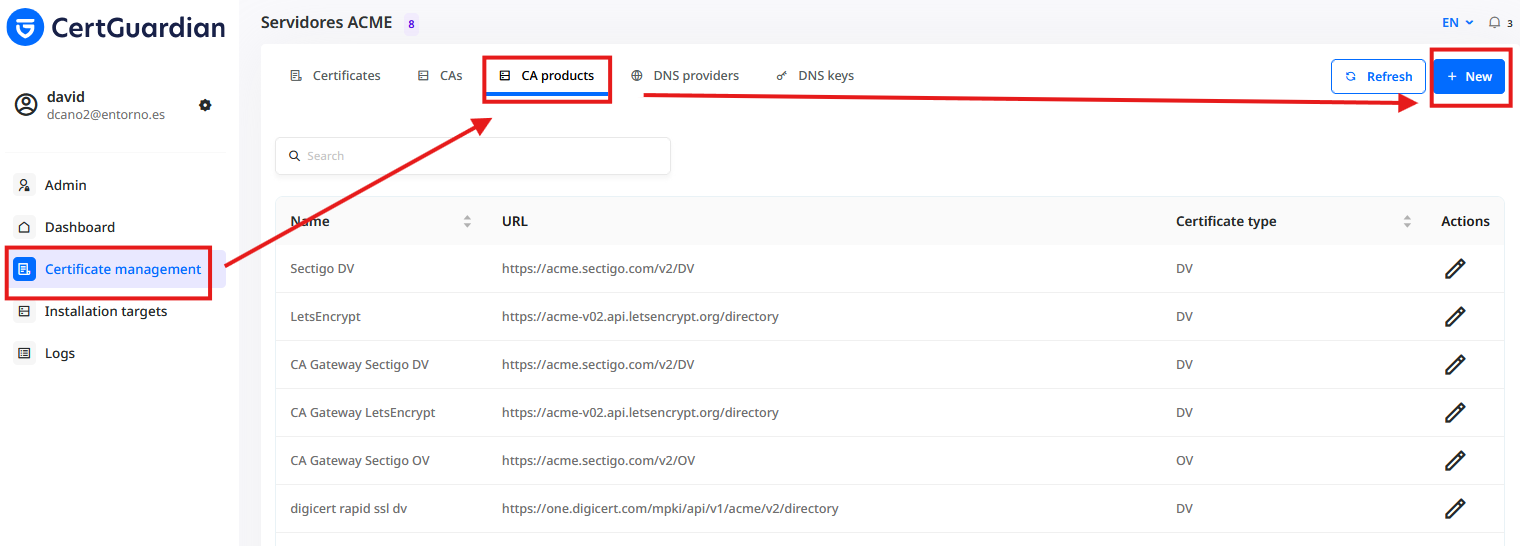
And fill the form: 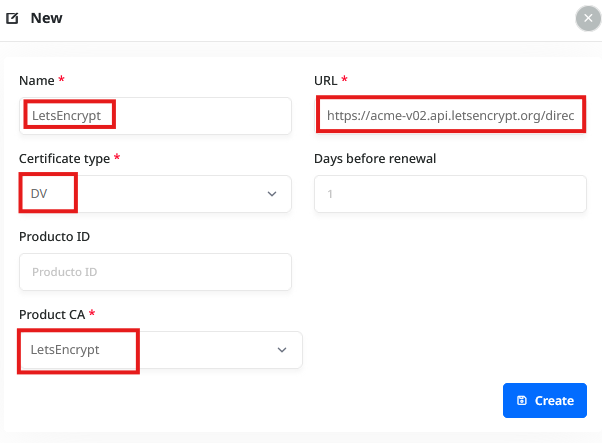
You can check here the different products that you can add to your CA: