

Verify Agent Communication
Once the agent has been configured, it is recommended to run it manually to verify that it can communicate correctly with the CertGuardian platform.
Run the Agent
Windows
Navigate to the directory where the agent is located and run:
text
certguardian-agent.exeLinux
Open a terminal and run:
bash
./certguardian-agentVerify Communication
Once started, the agent will begin communicating with the CertGuardian platform.
During this phase, it is recommended to verify:
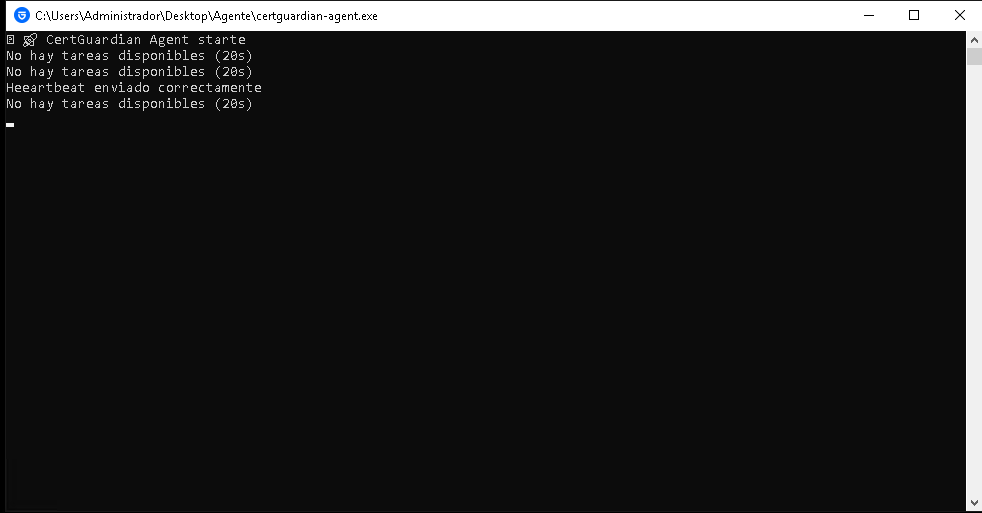
- Heartbeats are being sent successfully every 30 seconds.
- Tasks are being requested successfully every 20 seconds.
- Tasks are executed correctly.
- No errors are present in the agent logs.
Agent Console
When running correctly, the agent will display information about the connection to the platform and the tasks received.
CertGuardian Platform
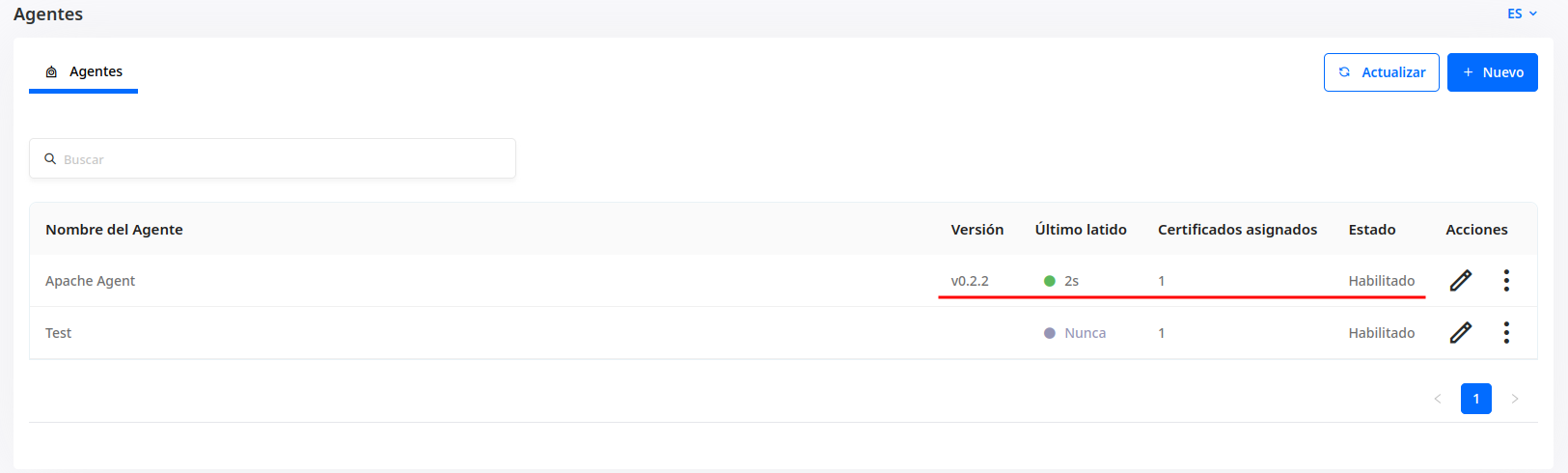
From the Agents section in CertGuardian, you can verify:
- The date of the last heartbeat.
- The agent status.
- Number of certificates assigned.
- Agent version.
TIP
It is recommended to verify agent communication before installing it as a service.