Create an Agent
Before installing the agent on a server, you must first register a new agent in the CertGuardian platform.
During this process, CertGuardian will automatically generate a unique token that will later be used during the agent installation.
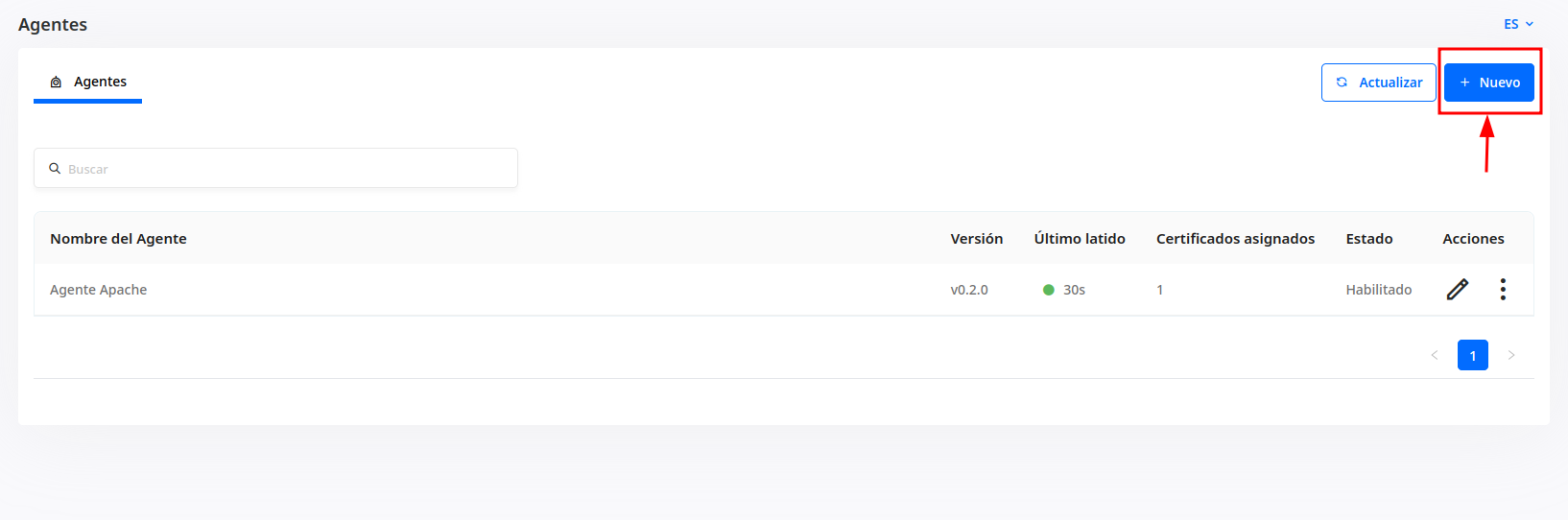
Access Agent Management
From the CertGuardian dashboard:
- Open the side navigation menu.
- Navigate to Agents.
- Click + New.
Register a New Agent
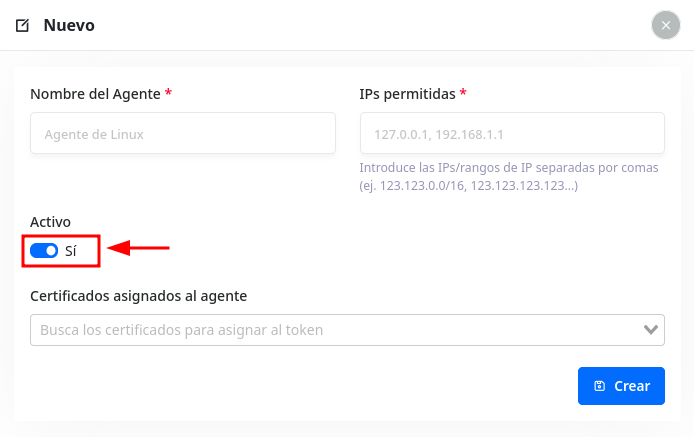
When creating an agent, you must complete the following fields:
- Agent Name: A descriptive name used to identify the server.
- Allowed IPs: IP addresses or ranges from which the agent will be allowed to connect to the platform.
- Active: Determines whether the agent can authenticate and communicate with CertGuardian.
- Certificates Assigned to the Agent: Certificates that the agent will be authorized to manage.
After filling in the required information, click Create.
Automatically Generated Token
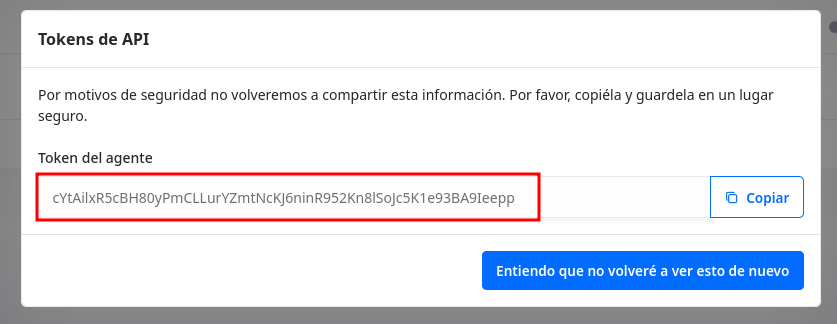
Once the agent has been created, CertGuardian will automatically generate a unique token associated with it.
The token is used to associate the agent installation with the agent previously created in the CertGuardian platform.
Important
The token acts as the agent's authentication credential. It should be stored securely and shared only with the administrators responsible for the installation.
Disable an Agent
If an agent is no longer required or is considered compromised, it can be disabled from the platform.
Once disabled, the agent will no longer be able to authenticate or communicate with CertGuardian using the associated token.