

Develop a Hook
CertGuardian provides predefined Install Types, but you can also create custom ones to match your needs.
To create a new hook, you need to follow this steps:
Folder placement
Hooks must be placed inside the backend folder on your host machine.
Then you can mount your hook folder in the docker-compose.yml file poiting to /var/www/certguardian/app/ExtraInstallationHooks.
  certguardian:
    volumes:
      - ./logs:/var/www/certguardian/storage/logs
      - ./backend/ExtraInstallationHooks:/var/www/certguardian/app/ExtraInstallationHooks
    image: gitea.entorno.es:3000/certguardian/certguardian:latest
    restart: unless-stopped
File structure
Each hook must be placed in its own folder named after the hook.
Inside the folder, you must include:
YourHookName.phpHookSeeder.php
Example structure:
backend/
└── ExtraInstallationHooks/ <- volume mounted folder
       └── YourHookName/ <- hook folder
          ├── YourHookName.php
          └── HookSeeder.php
Code structure
A hook is composed of two files:
HookSeeder.php: registers the hook in the database,YourHookName.php: contains the hook logic.
You can follow the next steps to create your hook:
HookSeeder.php
This file registers the Install Type in the database.
<?php
namespace App\ExtraInstallationHooks\YourHookName;

use Illuminate\Database\Console\Seeds\WithoutModelEvents;
use Illuminate\Database\Seeder;
use Illuminate\Support\Facades\DB;

class HookSeeder extends Seeder
{
    /**
     * Run the database seeds.
     */
    public function run(): void
    {
        DB::table('tipo_instalacion')->updateOrInsert(
            ['hook'        => 'Extra/YourHookName',],
            [
                'nombre'        => 'Your hook name',
                'hook'          => 'Extra/YourHookName',
            ],
        );
    }
}
WARNING
YourHookName must match the folder name exactly.
WARNING
The hook value (Extra/YourHookName) is used internally to register and resolve the hook.
YourHookName.php
This file contains the actual logic of the hook.
You must implement the following methods:
Methods
version()
Must be a public method static and return a string.
    public static function version(): string
    {
        return '0.0.1';
    }
schema()
Must be a public method static and return a string.
This method is used to define what parameters are used by the hook to connect to the server and install the certificate.
The parameters are defined in the JSON Schema format.
The string format should be like this:
{
    "schema": <your schema>
}
You can generate a JSON Schema here.
When creating a hook of your install type this schema will create a form to fill in the parameters.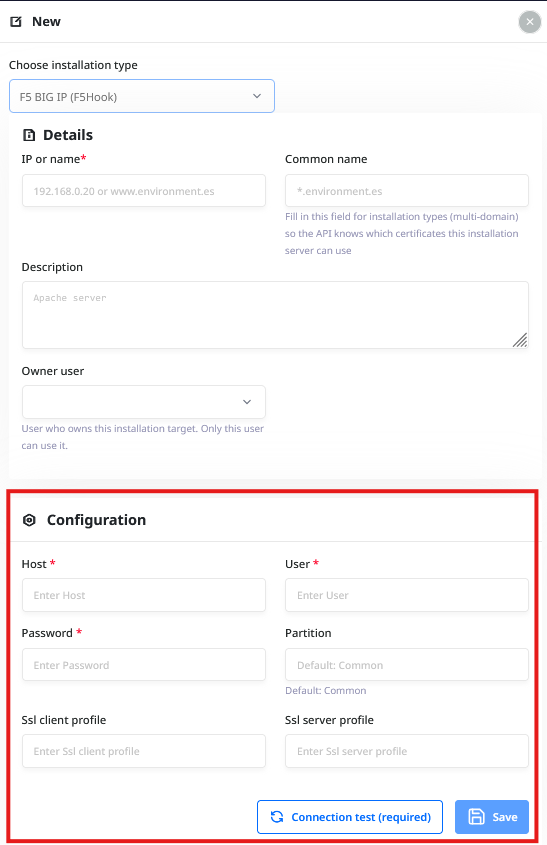
run()
Must be a public method and return a HookResponse object.
This method will hold the logic of the hook and will make the necessary calls to the server to install the certificate using the parameters defined in the schema.
You can access the parameters using $this->config, which contains an array of all parameters defined in the schema.
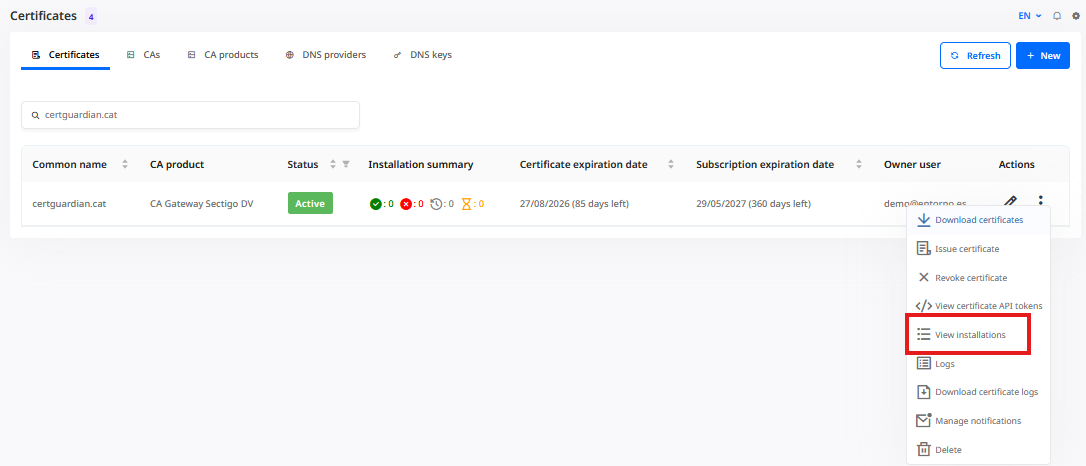
This method will be called when the user clicks on the "Install" button or when the certificate is renewed.
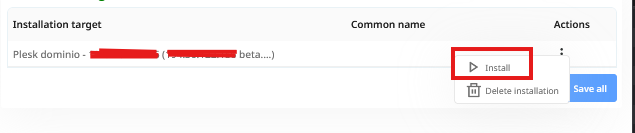
It must return a HookResponse object.
testConnection()
Must be a public method and return a HookResponse object.
This method is used to test the connection to the server before creating the Install Target.
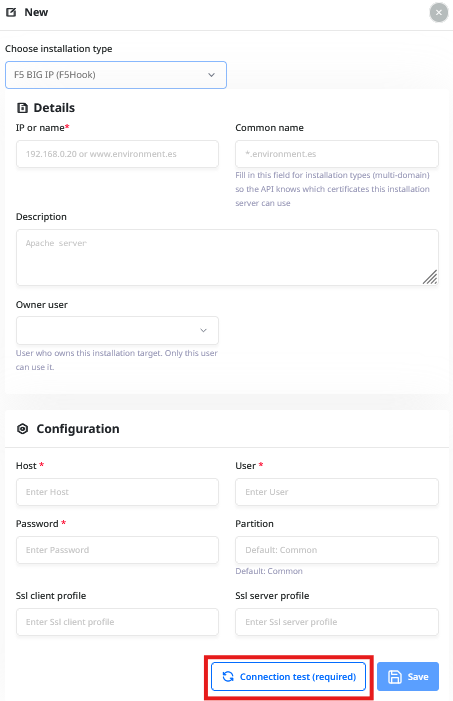
You can access the parameters using $this->config, which contains an array of all parameters defined in the schema.
HookResponse
This class is used to return the result of the hook. You can use the following methods:
ok(string $message): To return a successful response.fail(string $message): To return a failed response.response(bool $correct, string $message): To return a successful or failed response based on the value of the$correctparameter.
Example
This is an example of a YourHookName.php file:
<?php
namespace App\ExtraInstallationHooks\YourHookName;

use App\InstallationHooks\Hook;
use App\InstallationHooks\HookResponse;
use Illuminate\Support\Facades\Http;
use Exception;
use Illuminate\Support\Facades\Log;

class YourHookName extends Hook
{

    public $config;

    public static function version(): string
    {
        return '0.0.1';
    }

    public static function schema(): string
    {
        return '
        {
            "schema":
            {
                "$schema": "https://json-schema.org/draft-07/schema",
                "type": "object",
                "properties": {
                  "host": {
                    "type": "string",
                    "description": ""
                  },
                  "user": {
                    "type": "string",
                    "description": ""
                  },
                  "password": {
                    "type": "string",
                    "description": ""
                  },
                  "partition": {
                    "type": "string",
                    "description": "Default: Common"
                  },
                  "ssl client profile": {
                    "type": "string"
                  },
                  "ssl server profile": {
                    "type": "string",
                    "description": ""
                  }
                },
                "required": [
                  "host",
                  "user",
                  "password"
                ]
              }
        }
        ';
    }


    public function __construct($instalacion)
    {
        parent::__construct($instalacion);
        }
    }

    public function run(): HookResponse
    {
        // your hook logic here
        return HookResponse::ok("certificate installed");
    }

    public function testConnection(): HookResponse
    {
        // your hook logic here
        return HookResponse::ok("certificate installed");
    }


}