Manage CertGuardian's certificate
Make sure the private key is named privkey.pem and the fullchain is named fullchain.pem in the NGINX certificates folder (nginx/certs/):

And, in the NGINX configuration file (nginx/conf.d/nginx.conf), check that the server directives have the same names:
bash
cat nginx/conf.d/nginx.conf | grep ssl_certificate
Create an installation target
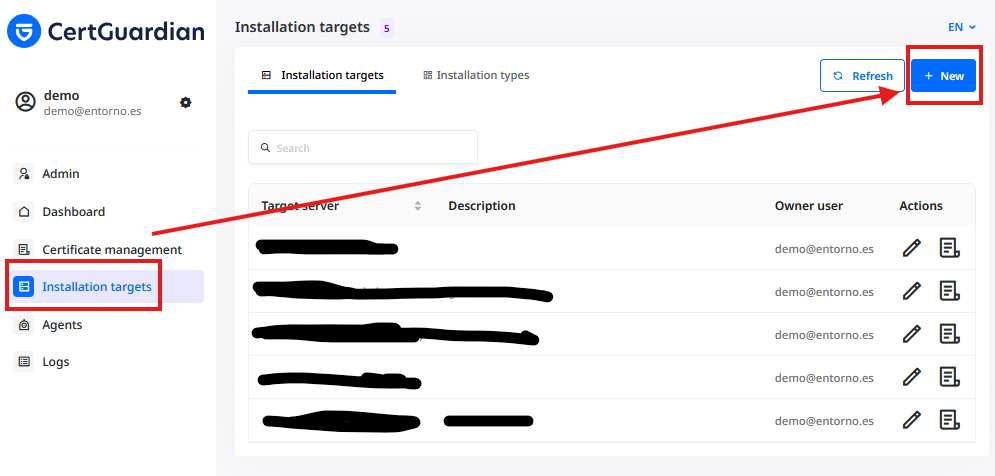
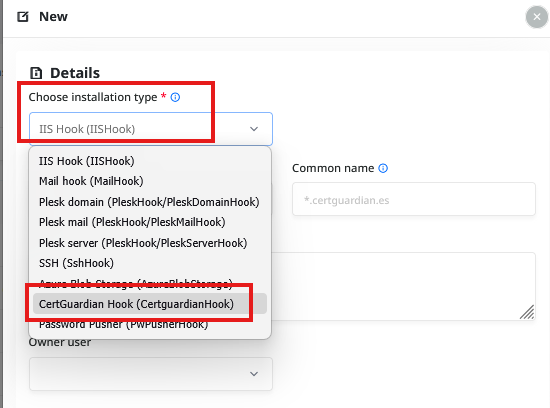
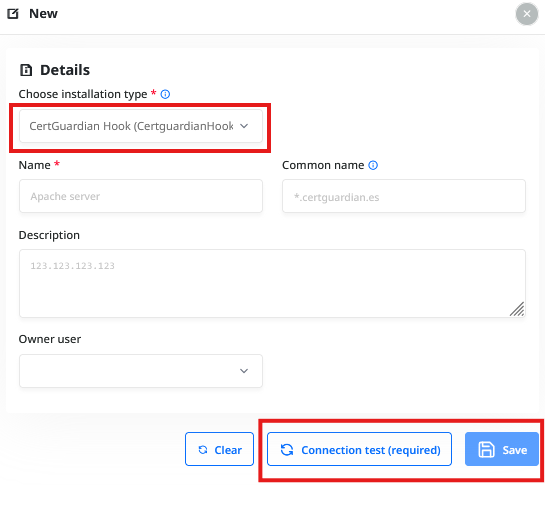
Add an installation target to Certificate
Search (or create) the wildcard certificate with the same domain as your CertGuardian website, then add the installation to the certificate: 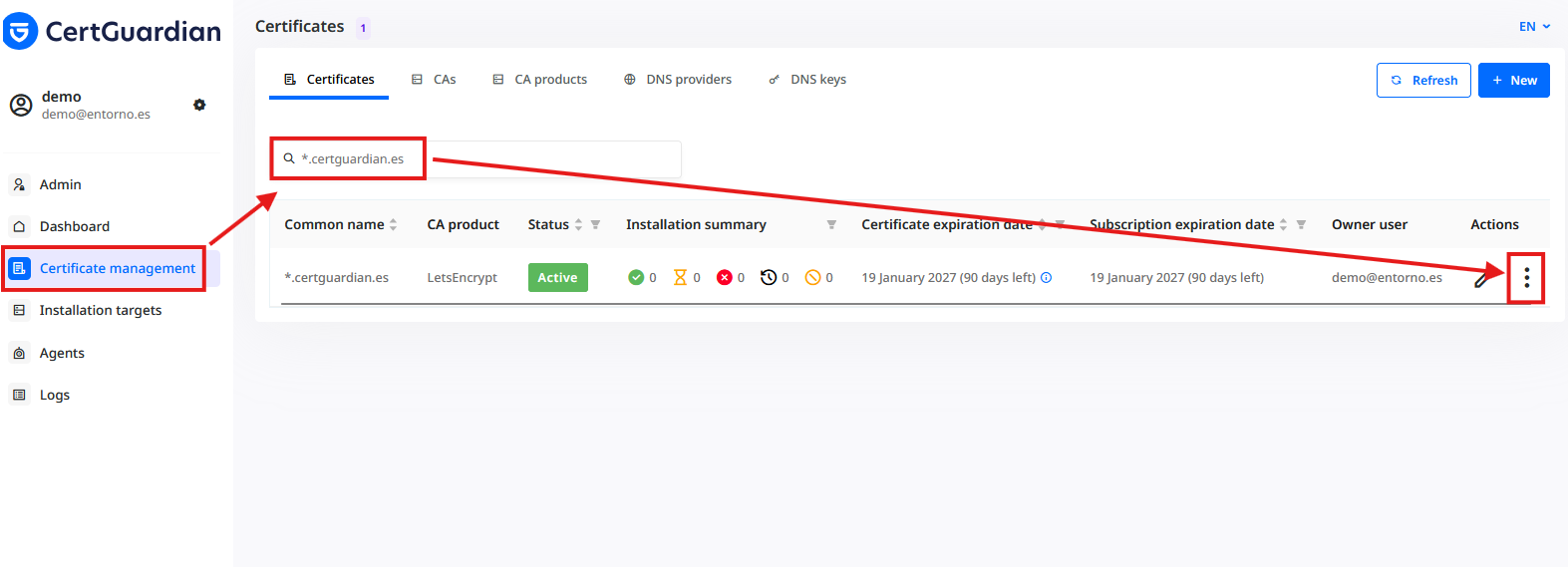
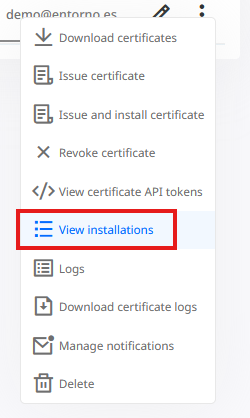
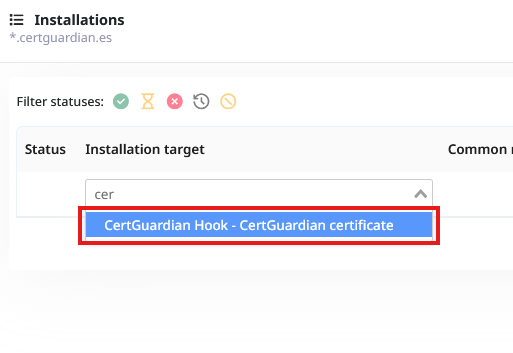
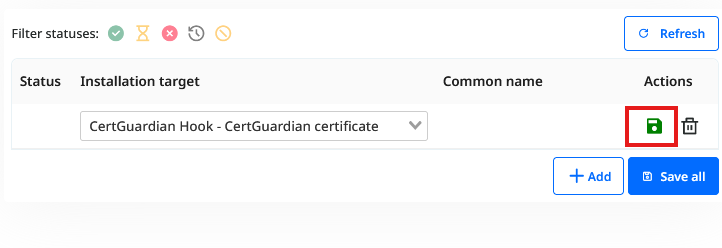
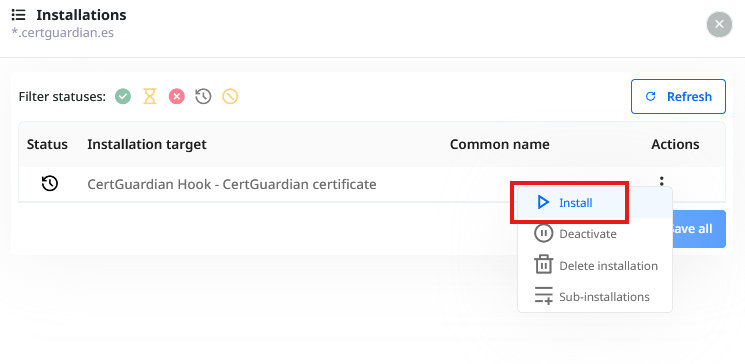
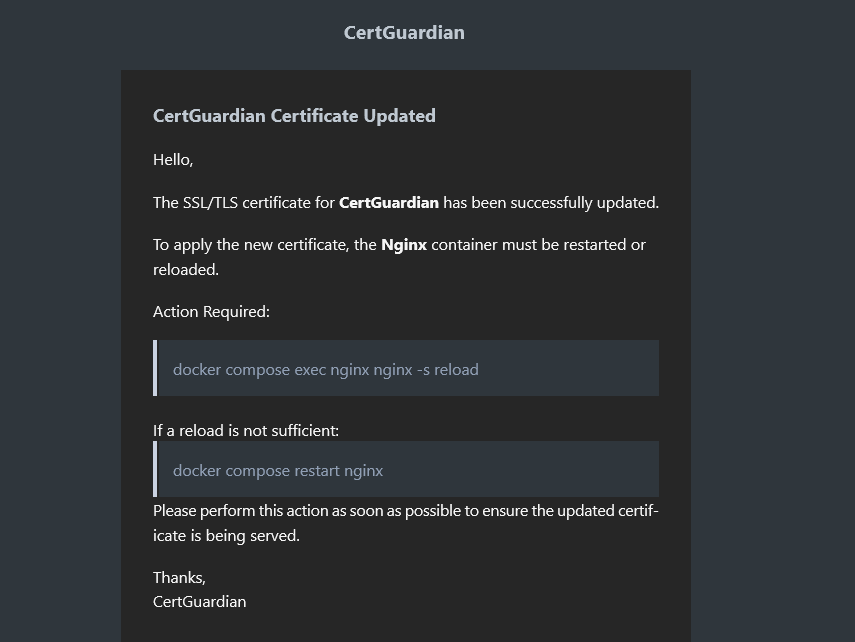
Once the installation is complete, you will receive an email at the address specified in the MAIL_ADDRESS_FOR_NOTIFICATIONS environment variable, with instructions on how to reload the web server to apply the new certificate: